Advanced Image Uploader PRO for WooCommerce

Advanced Image Uploader for WooCommerce
A professional image upload suite for WooCommerce: cropping, preview on the product, proofing, a private gallery, dynamic pricing, watermarks, quality control and integration with external services.
Version: 3.6.0
Release date: 19/05/2026
- Added: re-upload rejected images from the admin
- Added: email updates on proofing progress and images
- Added: information on minimum and maximum upload limits
- Fixed: uploaded images are now kept after refreshing the page
- Fixed: customers are told how many images they still need to upload
- Fixed: admins can now reject items individually in orders with several upload products
Features
- Drag-and-drop area for multiple images
- Cropping modal with Cropper.js (free, fixed ratio or exact dimensions)
- Thumbnails in the cart, checkout, confirmation email and admin dashboard
- Public download link for each image in emails
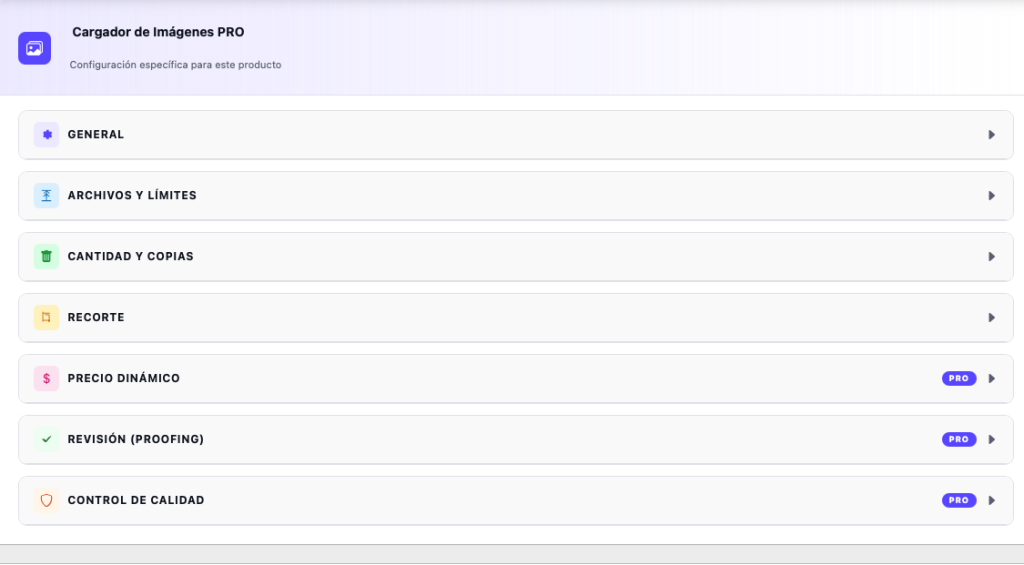
- A “File upload” tab on every product with its own settings:
- Turn the uploader on or off
- Custom label and instructions
- Allowed file types
- Maximum number of files and size per file
- Multiply the limit by the order quantity
- Copies per image (optional)
- Full cropping options (mode, type, ratio, DPI, High DPI) - Drag-and-drop zone with smooth animations
- Sequential cropping queue (multiple images with Cropper.js)
- Copies-per-image stepper, synced with the WooCommerce quantity field
- AJAX upload with an individual progress bar
- WooCommerce session for file paths (they never pass through the browser)
- Object cache (wp_cache group “wccp”) with automatic invalidation
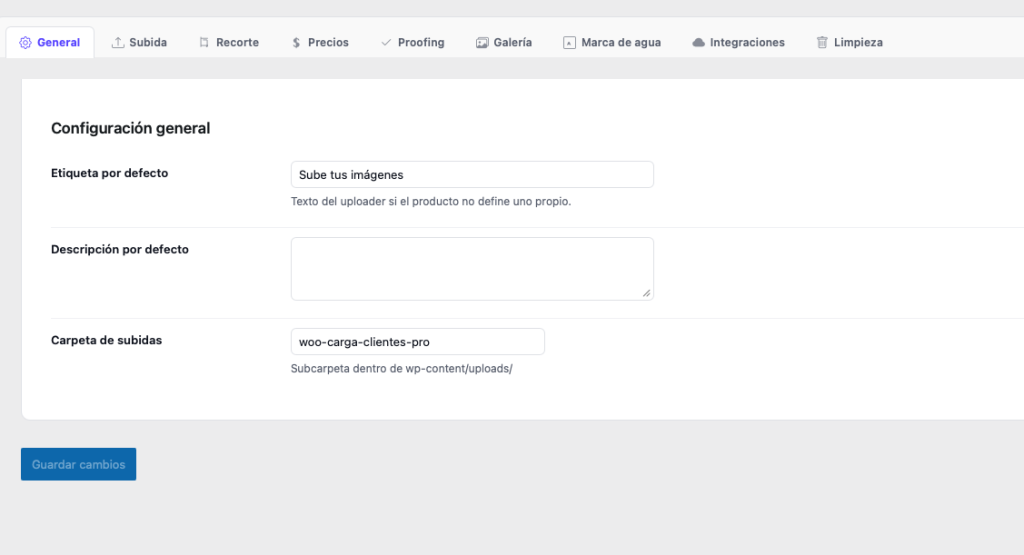
WooCommerce admin settings
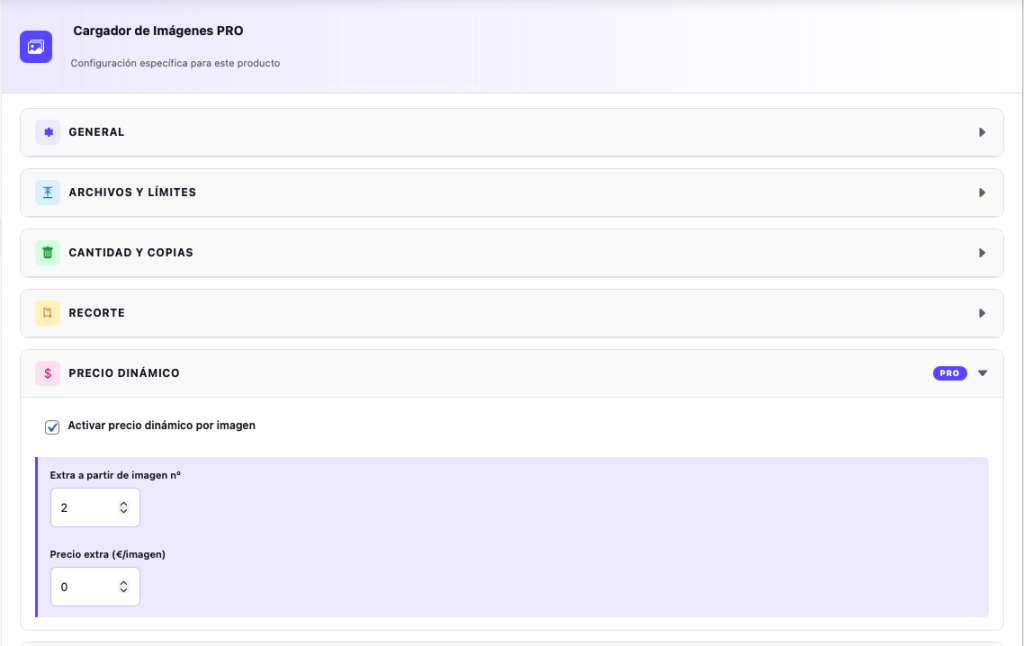
PRO: Dynamic pricing
- Extra price per image from N images upwards
- Set globally and per product
- Shown in the cart, checkout, order and email
PRO: Preview on the product
- An HTML5 canvas overlays the customer’s photo on the product image
- Supports PNG overlays (frame, printed product)
- Configurable position (centre, corners)
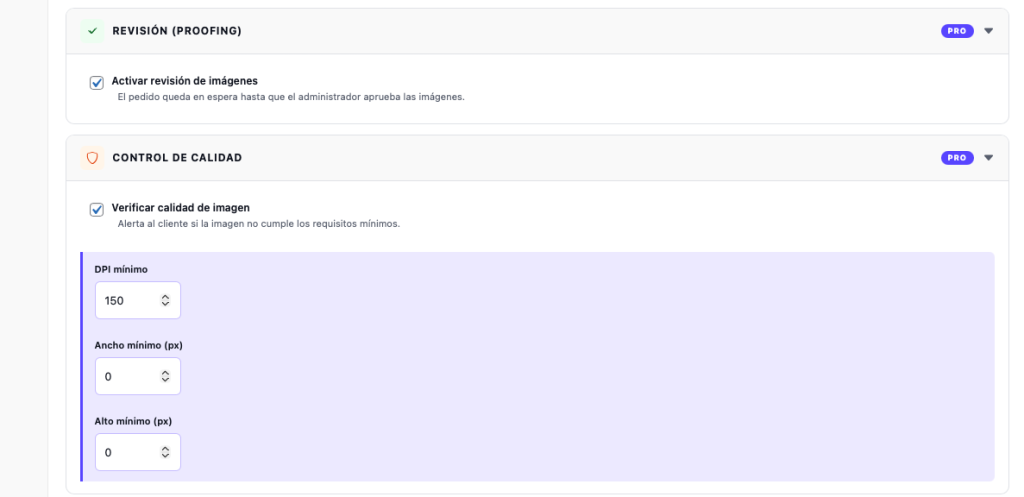
PRO: Proofing (approval) system
- Admins approve or reject images from the order screen
- Automatic email to the admin when images are waiting for review
- Rejection note visible to the customer
- When everything is approved, the order moves to “Processing” automatically
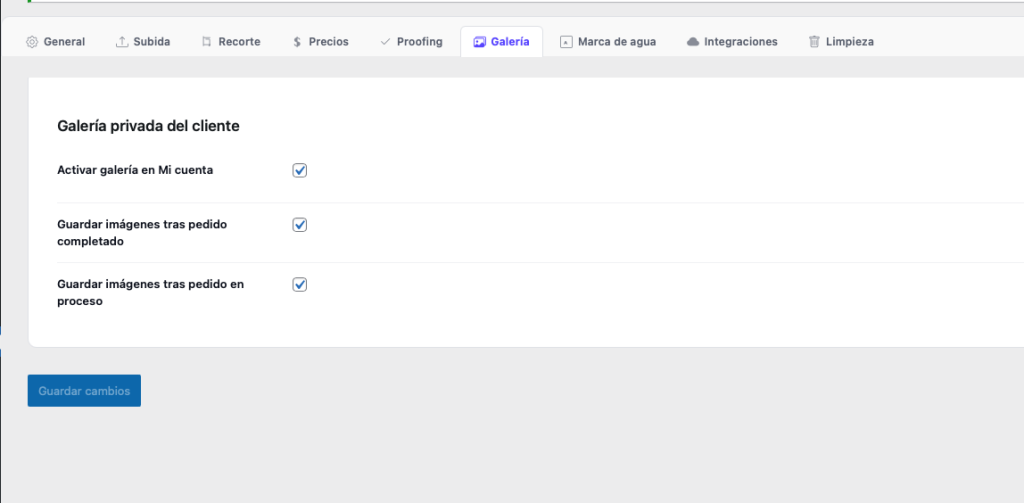
PRO: Private customer gallery
- Custom database table (wccp_gallery)
- “My photos” endpoint in My account
- Filter by order, direct download, format and size
- Saved automatically when the order is completed or processing
PRO: Watermark
- PHP GD adds a watermark to the customer’s previews
- The original file the admin downloads has NO watermark
- Configurable text and opacity
PRO: Quality control
- Checks minimum DPI (via EXIF) and minimum width and height in px
- Instant visual warning on the preview card
- Configurable per product
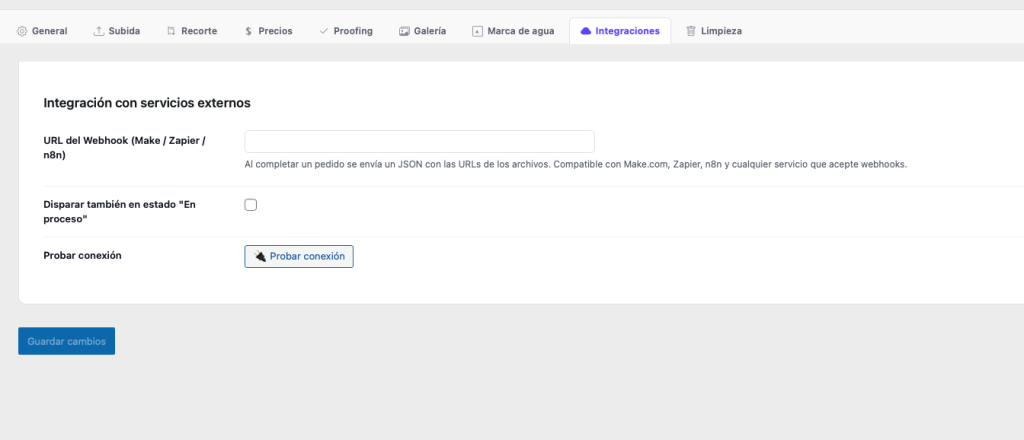
PRO: External integrations
- Webhook (Make.com, Zapier, n8n) when an order is completed
- JSON payload with file URLs, customer and order data
- Connection test button in the settings
- ZIP download from the order screen (PHP ZipArchive)
Automatic clean-up
- Daily WP-Cron: deletes files from orders older than X days
- Deletes /temp/ folders older than 24 hours
Installation: €20.00
Delivered in 1 to 3 working days.
Custom plugin tailoring: from €35
Delivered in 3 to 6 working days.



Features
- Drag-and-drop zone for multiple images
- Free, ratio-locked or exact-size cropping with DPI
- Thumbnails in the cart, checkout, emails and admin
- Proofing: approve or reject images and request a new upload
- Dynamic pricing, copies per image and quantity-based limits
- Upload progress bar and scheduled automatic clean-up