Ticket Master Seat Map Add-on
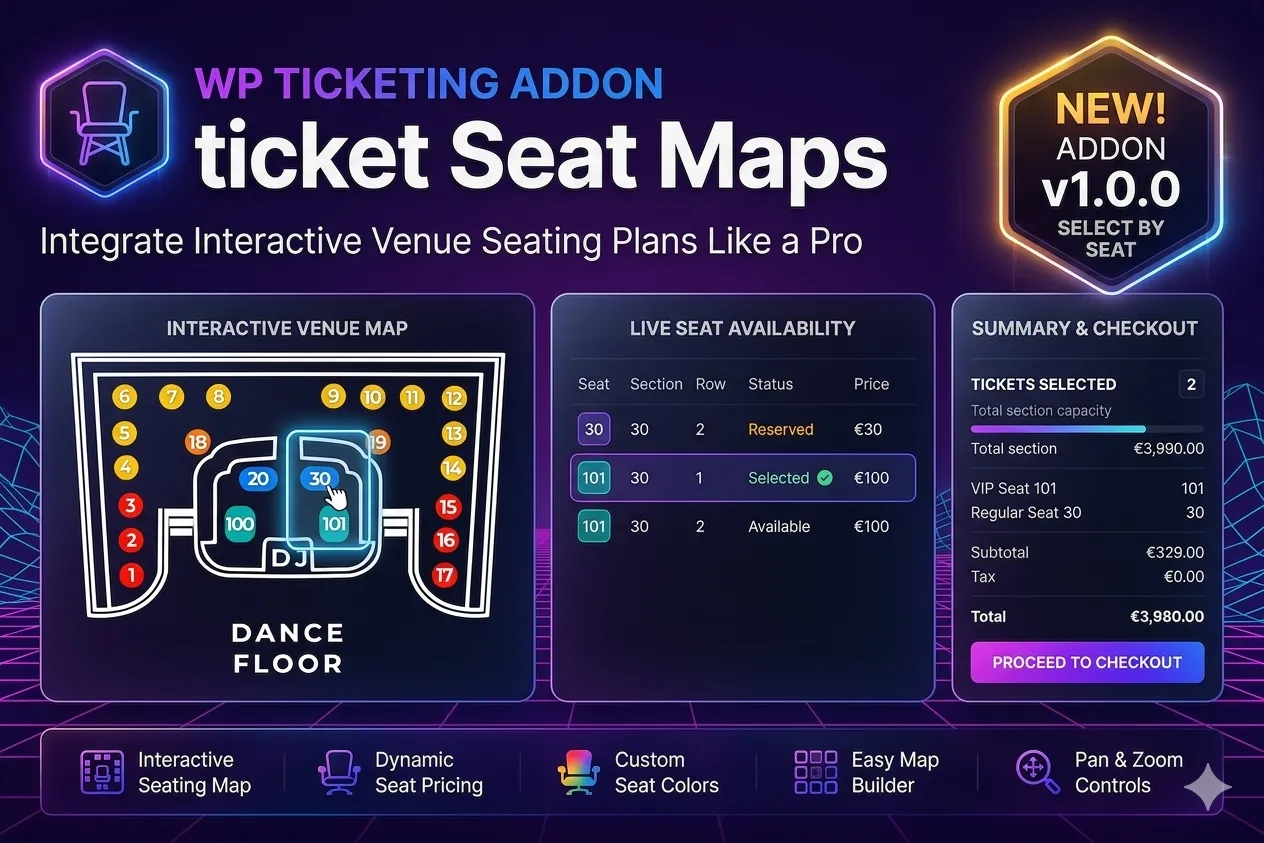
An exclusive add-on for Ticket Master Pro
A professional designer for seats, zones and interactive venue maps in TicketMaster Pro.
Version: 1.4.4
Release date: 13/06/2026
Requires: Ticket Master Pro
Interactive seat selection
Let attendees choose their seats straight from a visual, interactive map.
Features
- Real-time seat selection
- Instant availability
- Automatic seat holds
- Mobile-friendly
- Map zoom and pan
- Colour-coded seat states
- An intuitive experience for attendees
Visual venue designer
Create any layout without writing a line of code.
Easily design:
- Individual seats
- Full rows
- Tiered seating
- VIP tables
- Premium areas
- Boxes
- Stages
- Dance floors
- Restricted-access areas
- Custom sections
All with a simple, intuitive visual builder.
Drag-and-drop builder
Design professional seating plans by dragging and dropping.
What you can do
- Unlimited seats
- Duplicate whole rows
- Move zones freely
- Resize areas
- Set custom colours
- Arrange sections visually
- Save reusable templates
No technical knowledge needed.
Zones and sections
Set up different areas within the same venue.
For example:
- VIP area
- Premium area
- General admission
- Front of stage
- Family area
- Accessible area
- Private boxes
Each zone can have its own rules and prices.
Pricing by zone
Set different prices depending on location.
For example:
- VIP area → €150
- Premium area → €100
- General admission → €70
- Budget area → €40
Maximise revenue by offering different ticket categories.
Pricing by seat
Need more flexibility?
Set individual prices for:
- Specific seats
- Whole rows
- Tables
- Boxes
- VIP areas
Every seat can have its own price.
Seat states
Manage availability visually.
Available states
- Available
- Held
- Sold
- Awaiting payment
- VIP
- Blocked
- Maintenance
- Special access
Each state is shown in a colour you can configure.
For admins
Custom forms per ticket
Collect specific attendee information at checkout.
Supported fields
- Text
- Text area
- Dropdowns
- Checkboxes
- Radio buttons
- Date pickers
- Number fields
- File uploads
- Terms acceptance
- Required fields
Ideal for conferences, corporate events and shows.
Advanced forms
Build professional forms for each ticket type.
Features
- Visual builder
- Drag and drop
- Conditional fields
- Automatic validation
- Required fields
- Sections
- Mobile-friendly
Table bookings
Perfect for:
- Nightclubs
- Restaurants
- VIP events
- Gala dinners
- Private shows
Features
- Round tables
- Square tables
- Configurable capacity
- Price per table
- Guest management
Real-time availability
Attendees always see up-to-date information.
Instant view of:
- Free seats
- Held seats
- Sold seats
- Sold-out zones
- Remaining capacity
No overselling and no booking conflicts.
Full integration with TicketMaster Pro
Ticket Seat Maps works seamlessly with TicketMaster Pro.
Works with
- Events
- Tickets
- Ticket types
- Attendee management
- Check-in
- QR codes
- Automatic emails
- WooCommerce
QR code check-in
Every ticket keeps all the details of the selected seat.
Includes
- Unique QR code
- Seat number
- Row
- Zone
- Ticket type
- Attendee details
Responsive design
Optimised for:
- Desktop
- Tablet
- Smartphone
Attendees can pick their seats comfortably on any device.
Use cases
Perfect for:
- Concerts
- Festivals
- Theatres
- Auditoriums
- Cinemas
- Sporting events
- Conferences
- Conventions
- Nightclubs
- Restaurants
- Gala dinners
- Corporate events
- Schools and universities
Installation and full setup: €578.00
Delivered in 1 to 3 working days.
Custom plugin tailoring: from €87/hour
Delivered in 3 to 6 working days.
Features
- Real-time seat selection with instant availability
- Drag-and-drop visual venue designer
- Rows, tiers, VIP tables, boxes, stages and restricted areas
- Pricing by zone and by seat
- Reusable venue templates
- Zoom, pan and a mobile-friendly layout